Images make websites look amazing, but they can also be one of the biggest reasons for slow loading times. A beautiful website packed with large, unoptimized images can frustrate visitors and hurt your search engine rankings.
Images play a huge role in website performance, and choosing the right WordPress image compression plugins can dramatically improve loading speed and SEO rankings.
Over the years, we have worked with many WordPress websites, from small blogs to business sites and online stores. One thing remains consistent: image optimization is one of the quickest ways to improve page speed without making major changes to your website.
The good news is that you don’t need advanced technical skills. The right image compression plugin can automatically reduce image file sizes, improve loading speeds, and help your site perform better in search results.
In this guide, we look at the best WordPress image compression plugins in 2026 based on popularity, downloads, features, reliability, and overall value.
Why Image Compression Matters
Before diving into the WordPress image compression plugins, let us quickly discuss why image compression is so important.
Images are often the largest files on a website, and unoptimized images can significantly slow down page loading times. Even a handful of oversized images can negatively impact performance, especially on mobile devices and slower internet connections.
Faster websites not only provide a better user experience but also tend to perform better in search engine rankings. By compressing images and reducing file sizes, you can improve page speed, lower bandwidth usage, and create a smoother browsing experience for your visitors.
This is why image optimization should be a key part of every WordPress website’s performance strategy.
Large image files can:
- Slow down page loading times.
- Increase bandwidth usage.
- Hurt user experience.
- Reduce conversion rates.
- Negatively impact SEO rankings.
- Affect Core Web Vitals scores.
A good image compression plugin can:
- Reduce image sizes automatically.
- Convert images to modern formats like WebP and AVIF.
- Improve page speed.
- Save server storage space.
- Boost search engine visibility.
Visual: How image compression helps:
Original Image
↓
Image Compression Plugin
↓
Smaller File Size
↓
Faster Website
↓
Better User Experience
↓
Improved SEO Rankings
How We Chose the Best Plugins
With dozens of WordPress image compression plugins available, narrowing the list down to the best options was not that easy. To create this guide, we looked at the plugins that consistently perform well, receive positive user feedback, and remain actively maintained by their developers.
We also focused on plugins that make image optimization simple for everyday WordPress users. While advanced features are valuable, ease of use, reliability, and automation are just as important for most website owners.
For this list, we considered:
- Active installations.
- Popularity in the WordPress community.
- User ratings and reviews.
- Compression quality and efficiency.
- Ease of use.
- WebP support.
- AVIF support.
- Automation features.
- Pricing and overall value.
- Reliability and frequency of updates.
- Compatibility with popular themes and plugins.
- Performance impact on website speed.
The WordPress image compression plugins featured below have proven themselves through large user bases, strong reputations, and a track record of helping WordPress websites load faster while maintaining excellent image quality.
Top WordPress Image Compression Plugins for Faster Websites
ShortPixel

ShortPixel is one of the most powerful WordPress image compression plugins available today, offering excellent compression without sacrificing image quality.
What we like about ShortPixel is its excellent balance between compression quality and image appearance. It reduces file sizes significantly while keeping images sharp and professional.
The plugin also supports modern image formats like WebP and AVIF, helping websites achieve even better performance scores.
Another advantage is its cloud-based processing, which minimizes the load on your hosting server and allows image optimization to happen quickly and efficiently in the background.
ShortPixel works seamlessly with most WordPress themes, page builders, and eCommerce plugins, making it a reliable choice for almost any type of website.
From personal blogs to large WooCommerce stores, it offers a simple way to improve page speed without sacrificing image quality.
Key Features:
- Lossy and lossless compression.
- WebP conversion.
- AVIF support.
- Bulk image optimization.
- PDF optimization.
- Cloud-based processing.
Imagify

Imagify is developed by the same company behind WP Rocket, making it a popular choice among website owners focused on speed optimization.
The dashboard is clean, simple, and easy to understand. Even users with little technical experience can start optimizing images within minutes of installing the plugin.
Imagify also offers multiple compression levels, allowing you to choose the right balance between image quality and file size based on your website’s needs.
Another feature I appreciate is the plugin’s ability to automatically optimize new uploads, saving time and eliminating the need for manual work. It also supports modern formats like WebP and AVIF, helping websites load faster and achieve better performance scores.
For beginners and experienced WordPress users alike, Imagify provides a straightforward and reliable image optimization solution.
Key Features:
- Automatic image compression.
- WebP conversion.
- AVIF support.
- Bulk optimization.
- Three compression levels.
Smush
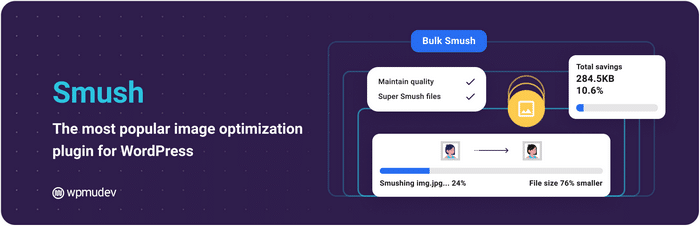
Smush is one of the most downloaded WordPress image compression plugins in WordPress history.
Created by WPMU DEV, it has earned a reputation for reliability and ease of use. Its popularity comes from a combination of powerful optimization features and a beginner-friendly interface that makes image compression accessible to everyone.
The plugin can automatically optimize images as they are uploaded, helping website owners maintain fast loading times without additional effort.
Smush also includes useful performance features such as lazy loading and image resizing, which can further improve page speed and user experience.
The free version offers plenty of functionality for most websites, while the premium version unlocks more advanced compression options and optimization tools.
For many WordPress users, Smush is a trusted all-in-one solution for keeping images optimized and websites running smoothly.
Among all WordPress image compression plugins, Smush stands out because of its simplicity and massive user base.
Key Features:
- Automatic image optimization.
- Lazy loading.
- Bulk compression.
- Image resizing.
- CDN options.
EWWW Image Optimizer

EWWW Image Optimizer has been around for years and continues to be a favorite among developers and power users.
Unlike many competitors, it offers local optimization options. This means images can be compressed directly on your server instead of being sent to an external cloud service, giving users more control over their data and workflow.
For website owners who prioritize privacy or have strict hosting requirements, this can be a significant advantage.
EWWW Image Optimizer also supports automatic image compression, bulk optimization, WebP conversion, and image resizing. Its extensive configuration options make it highly customizable, allowing users to fine-tune image optimization settings to match their specific needs.
While the interface may feel more technical than some alternatives, the flexibility and powerful feature set make it an excellent choice for users who want greater control over their website’s performance.
Key Features:
- Unlimited image optimization.
- Local server processing.
- WebP support.
- Bulk optimization.
- CDN integration.
Optimole
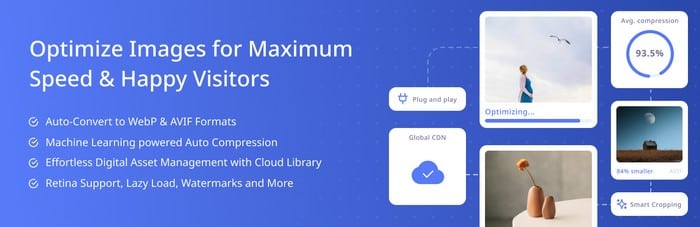
Optimole goes beyond simple compression.
It automatically serves optimized images based on each visitor’s device and screen size. This means mobile users receive smaller, lightweight images while desktop visitors get versions optimized for larger displays.
The result is faster loading times and a better browsing experience across all devices.
One of Optimole’s standout features is its cloud-based image processing system, which handles optimization off-site and reduces the workload on your hosting server. It also includes a built-in CDN that delivers images from locations closer to your visitors, helping pages load even faster.
With automation at the core of the platform, Optimole is an excellent choice for website owners who want a hands-off solution that continuously optimizes images and improves performance behind the scenes.
Key Features:
- Real-time image optimization.
- Cloud processing.
- Device-based image delivery.
- Lazy loading.
- CDN included.
reSmush.it

If your budget is zero, reSmush.it deserves serious attention.
Despite being completely free, it offers impressive image compression capabilities. It allows WordPress users to optimize images automatically during upload as well as in bulk for existing media files, making it a practical option for maintaining a lightweight website without extra cost.
The plugin supports common image formats like JPG, PNG, and GIF, and integrates smoothly with most WordPress setups.
While it doesn’t include some of the advanced features found in premium tools, its simplicity and unlimited free usage make it a reliable choice for small websites, personal blogs, and beginners who want solid performance without investing in paid solutions.
Key Features:
- Automatic optimization.
- Bulk compression.
- JPG, PNG, and GIF support.
- Free service.
CompressX

CompressX has gained attention for offering modern image optimization features and support for next-generation image formats.
It focuses on speed and efficiency by reducing image file sizes while preserving visual quality, making it a strong choice for performance-focused WordPress sites.
The plugin also supports automatic optimization during upload, helping users keep their media library lightweight without extra manual work.
One of the reasons CompressX stands out is its support for modern formats like WebP and AVIF, which can significantly improve loading times on both mobile and desktop devices.
With its clean interface and growing feature set, it has quickly become a popular option for users who want a modern, fast, and straightforward image optimization solution.
Key Features:
- WebP conversion
- AVIF support.
- Automatic compression.
- Bulk optimization.
Robin Image Optimizer
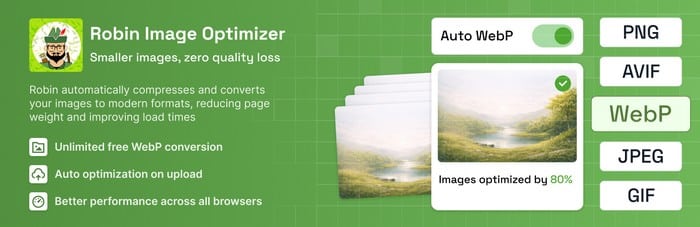
Robin Image Optimizer offers unlimited optimization without strict limits, making it attractive for larger image libraries.
This makes it especially useful for websites that regularly upload a high volume of images and need a dependable solution without worrying about monthly quotas or usage caps.
The plugin handles image compression automatically and supports bulk optimization, helping users quickly reduce the size of existing media files with just a few clicks.
It also integrates well with standard WordPress workflows, so optimization happens quietly in the background without disrupting your publishing process.
While it may not be as widely known as some of the bigger players in the market, Robin Image Optimizer delivers solid performance and practical features that make it a strong budget-friendly choice for content-heavy websites.
Key Features:
- Bulk image compression.
- WebP support.
- Scheduled optimization.
- Unlimited optimization.
TinyPNG – JPEG, PNG & WebP Compression

TinyPNG has built a strong reputation thanks to its excellent compression algorithms.
Many website owners use the online service and the WordPress plugin together, creating a smooth workflow between manual optimization and automated image compression.
This flexibility makes it easy to optimize both new uploads and existing media without sacrificing image quality.
One of the biggest strengths of TinyPNG is its ability to significantly reduce file sizes while keeping images visually crisp, which is especially important for photographers, designers, and portfolio websites.
It also supports WebP conversion, helping modern websites load faster and perform better in search engine rankings.
Key Features:
- Smart lossy compression.
- WebP support.
- Automatic optimization.
- Bulk image processing.
WP Compress
WP Compress combines image optimization with cloud delivery and advanced performance tools. It goes beyond basic compression by automatically optimizing images in real time and serving them through a global cloud network.
This helps reduce server load while improving loading speeds for visitors across different locations.
Another strong advantage is its adaptive image sizing, which ensures each user receives the most appropriate image version based on their device and screen resolution. This not only improves performance but also enhances the overall browsing experience.
With its focus on automation and speed, WP Compress is often chosen by agencies and business websites that need consistent performance without constant manual optimization.
- Real-time optimization.
- Cloud image delivery.
- Adaptive image sizing.
- WebP support.
Which Plugin Should You Choose?
The right WordPress image compression plugins depends on your needs. Some users prioritize speed and automation, while others care more about control, customization, or budget.
For example, a small personal blog may only need a lightweight free solution, while a large WooCommerce store might benefit more from a premium plugin with advanced optimization and CDN features.
It also helps to think about your technical comfort level and long-term goals. If you prefer a simple “set it and forget it” setup, an automated tool is usually the best fit.
On the other hand, if you want full control over how images are compressed and delivered, a more advanced plugin will be a better match.
Choose ShortPixel if:
- You want the best overall balance of quality and compression.
- You run a business website or WooCommerce store.
Choose Imagify if:
- You want a beginner-friendly interface.
- You already use WP Rocket.
Choose Smush if:
- You prefer a widely trusted plugin with millions of users.
Choose EWWW Image Optimizer if:
- You want greater control and advanced settings.
Choose Optimole if:
- You want compression plus CDN delivery in one package.
Choose reSmush.it if:
- You need a completely free solution.
Tips for Better Image Optimization
Even with a great plugin installed, follow these best practices: These small habits can make a big difference in your website’s performance and help you get the most out of your optimization tool.
Many site owners rely only on plugins, but combining them with smart image management creates even faster loading speeds and better SEO results.
It is also important to regularly review your media library and remove unused or duplicate images. Over time, this helps keep your site lightweight and prevents unnecessary storage use on your server.
- Resize images before uploading.
- Use WebP whenever possible.
- Use AVIF for maximum compression.
- Avoid uploading images larger than necessary.
- Enable lazy loading.
- Remove unused images from your media library.
- Regularly optimize older images.
Even the best WordPress image compression plugins work better when combined with good image optimization habits.
Final Thoughts
Image optimization is one of the easiest ways to speed up a WordPress website and improve SEO performance.
For most users, ShortPixel remains the best overall choice in 2026 thanks to its excellent compression quality, modern format support, and reliable performance. Imagify and Smush are also excellent options, especially for beginners.
If you’re looking for a completely free solution, reSmush.it remains one of the strongest choices available.
Choosing the right WordPress image compression plugins can significantly improve your site speed, SEO performance, and user experience.
No matter which plugin you choose, compressing your blog images can dramatically improve loading speeds, enhance the visitor experience, and help your website rank better in search engines.
Disclosure: We sometimes use affiliate links in our content. Some of the links in this post are “affiliate links.” This means if you click on the link and purchase the item, we will receive an affiliate commission. It helps our website keep running and allows us to offset our writing team’s costs. Thanks for your support.