
The digital world nowadays runs on visuals.
No matter if you are creating content for a website, social media, an online store, YouTube thumbnails, or digital marketing campaigns, images play a massive role in capturing attention and delivering your message.
But creating beautiful visuals is only part of the process. Images also need to be optimized, compressed, enhanced, and adapted for modern platforms and devices.
That is where PixWizify comes in.
We have created PixWizify for creators, bloggers, designers, marketers, website owners, and anyone who works with digital images.
Our mission is very simple: to help people create stunning visuals faster and smarter using modern AI image tools, optimization techniques, and creative workflows.
On this website, you will discover powerful AI-powered image generators, background removers, image upscalers, compression tools, editing software, and expert tutorials designed to improve your workflow and help you get the best possible results from your images.
No matter if you are a beginner learning the basics of image optimization or an experienced creator searching for advanced AI tools, PixWizify is here to guide you.
Why Images Matter More Than Ever
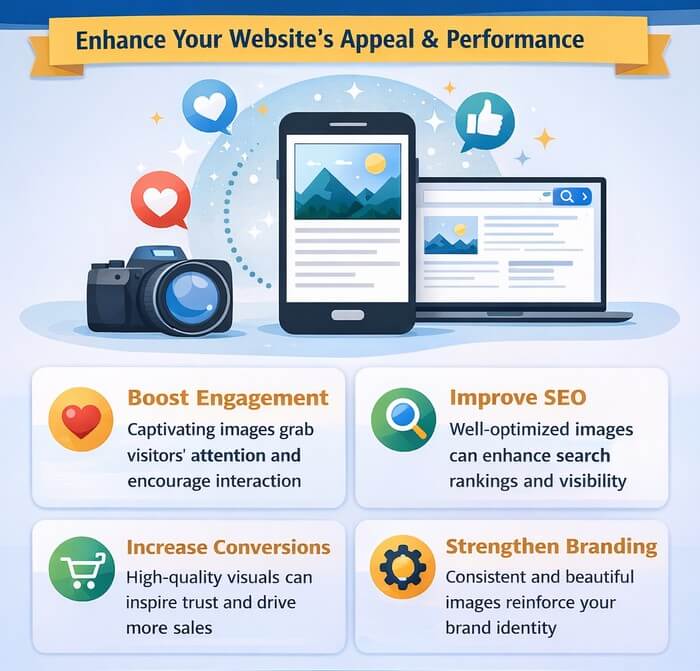
Images are one of the most important parts of modern digital communication. Studies consistently show that visual content outperforms plain text across nearly every online platform.
High-quality images help websites look professional, improve user engagement, increase social media interaction, and even boost conversions and sales.
But using images the wrong way can also create problems.
Large image files can slow down websites, hurt SEO rankings, increase bounce rates, and create poor user experiences on mobile devices. Poorly optimized images can make even the best-looking website feel outdated and slow.
That is why image optimization is no longer optional — it is essential.
At PixWizify, we focus on helping users understand both the creative and technical sides of digital images.
What Is Image Optimization?
Image optimization is the process of reducing image file sizes while maintaining the best possible visual quality. The goal is to create images that load quickly without looking blurry or low quality.
Optimized images help websites:
- Load faster.
- Improve SEO rankings.
- Reduce bandwidth usage.
- Improve mobile performance.
- Increase user engagement.
- Improve Core Web Vitals.
- Deliver better user experiences.
Many people upload massive images directly from cameras or editing software without compressing or resizing them first. This often results in slow-loading pages and poor performance.
Here are some common image optimization techniques:
Resize Images Properly
Uploading a 6000-pixel-wide image for a blog post is unnecessary if the content area only displays images at 1200 pixels wide. Resizing images before uploading can dramatically reduce file size.
Oversized images not only waste storage space but also slow down page loading times, especially for mobile users. A properly resized image can often reduce file size by 70–90% without any noticeable loss in visual quality.
This improves website performance, enhances user experience, and can even help boost SEO rankings in search engines like Google.
For most blog posts, images between 1200 and 1600 pixels wide are more than enough for sharp, professional-looking visuals on modern screens.
Compress Images
Compression reduces file size while preserving quality. Modern compression tools use advanced algorithms to remove unnecessary data from images.
There are two main types of compression:
- Lossless compression – Keeps full quality while reducing file size.
- Lossy compression – Removes some image data for much smaller files.
The best choice depends on the purpose of the image.
Choose the Right Image Format
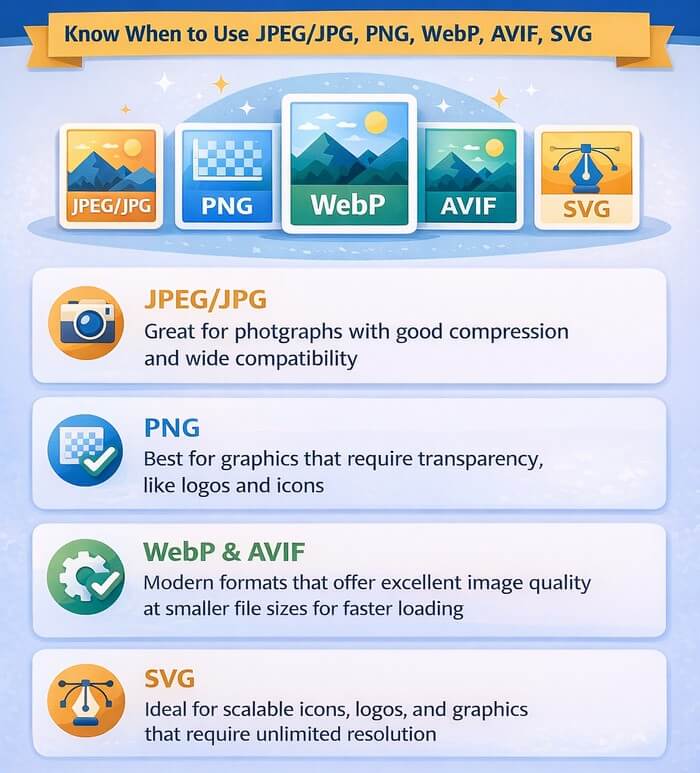
Choosing the right format can significantly improve page speed, performance, and overall user experience. For the best results, images should be saved in a format that balances visual quality, compatibility, and file size.
Different image formats serve different purposes:
- JPEG/JPG – Best for photos.
- PNG – Best for transparency and graphics.
- WebP – Modern format with excellent compression.
- AVIF – Next-generation format with very small file sizes.
- SVG – Perfect for logos and vector graphics.
Modern websites increasingly use WebP and AVIF because they provide smaller file sizes with excellent quality.
The Rise of AI Image Tools
Artificial Intelligence has completely transformed image creation and editing. Tasks that once required advanced Photoshop skills can now be completed in seconds using AI-powered tools.
AI image technology is evolving rapidly, and PixWizify is here to help you stay updated with the latest innovations.
From generating original artwork to removing backgrounds and enhancing low-resolution images, AI tools can simplify almost every part of the visual workflow.
These technologies make advanced image capabilities more accessible while helping creators save time and explore new creative possibilities.
Some of the most popular AI image tools include:
AI Image Generators
AI generators can create original artwork, illustrations, thumbnails, product images, and realistic photos using text prompts.
With just a simple text prompt, creators can produce highly customized visuals without spending hours designing them from scratch.
This makes AI image generators especially useful for bloggers, marketers, designers, and businesses looking to create engaging visual content quickly.
Popular use cases include:
- Blog featured images.
- Social media graphics.
- YouTube thumbnails.
- Fantasy artwork.
- Marketing visuals.
- Product mockups.
AI-generated visuals are becoming a major part of modern content creation workflows.
Popular AI Tools for Different Image Usage
Blog Featured Images
A compelling featured image can make a blog post more attractive and encourage visitors to click and read. AI-powered design tools make it easier to create professional-looking blog visuals without advanced graphic design skills.
- Canva — Easy-to-use templates and AI-powered design tools for professional blog visuals.
- Adobe Express — Great for creating polished featured images with quick editing features.
- Ideogram — Excellent for generating unique blog graphics and text-based visuals.
Social Media Graphics
Social media graphics need to be visually appealing, easy to recognize, and optimized for the platform where they will be shared.
AI-powered design tools can simplify the process by providing ready-made templates, smart editing features, and creative ideas for engaging social content.
- Canva — One of the best tools for Instagram posts, Facebook banners, and social media templates.
- VistaCreate — Simple drag-and-drop editor focused on social media content.
- Adobe Express — Fast AI-assisted editing for modern social graphics.
YouTube Thumbnails
YouTube thumbnails play an important role in attracting attention and encouraging viewers to click on a video.
The right combination of bold visuals, clear composition, and eye-catching artwork can make a thumbnail stand out in crowded search results and recommendation feeds.
- Canva — Popular for thumbnail templates and fast customization.
- Photopea — Browser-based Photoshop alternative perfect for detailed thumbnail editing.
- Leonardo AI — Useful for generating eye-catching AI artwork for thumbnails.
Fantasy Artwork
Fantasy artwork allows creators to bring imaginative characters, magical worlds, and cinematic scenes to life.
AI image tools make it easier to experiment with different artistic styles and create detailed fantasy visuals without traditional illustration techniques.
- Midjourney — Known for highly artistic and cinematic fantasy creations.
- Leonardo AI — Excellent for fantasy characters, environments, and gaming art.
- Stable Diffusion — Flexible open-source AI model for advanced creative artwork.
Marketing Visuals
Effective marketing visuals can capture attention, communicate a brand message, and make promotional content more memorable.
AI-powered design tools help marketers create professional ads, banners, product graphics, and other visual assets quickly and efficiently.
- Adobe Firefly — Powerful AI tools for commercial-safe marketing assets.
- Canva — Ideal for ads, banners, presentations, and promotional graphics.
- Fotor — AI-enhanced design and photo editing for marketing content.
Product Mockups
Product mockups help businesses showcase products in realistic settings before they are produced, launched, or marketed.
AI-powered and online mockup tools make it easy to create polished product presentations for e-commerce stores, advertising campaigns, and promotional materials.
- Placeit — Extremely popular for apparel, device, and branding mockups.
- Smartmockups — Fast and professional product presentation mockups.
- Mediamodifier — Useful for e-commerce and digital product previews.
Background Removers
Removing backgrounds used to be time-consuming. Today, AI can automatically remove backgrounds in seconds with impressive accuracy.
These tools are perfect for:
- E-commerce product images.
- Profile pictures.
- Marketing graphics.
- Transparent PNG creation.
- Social media content.
Some Popular AI Background Remover Tools:
- Canva Background Remover — One of the most popular AI background removers, with fast, accurate automatic cutouts.
- Adobe Express — Includes AI-powered background removal integrated with editing and design tools.
- Clipdrop — High-quality AI background removal with additional AI editing features.
Low-resolution images can now be enhanced using AI upscaling tools. These tools intelligently increase image resolution while preserving details and sharpness.
Upscaling is useful for:
- Restoring old images.
- Improving blurry photos.
- Enlarging graphics.
- Enhancing AI-generated images.
AI Photo Editors
Modern AI editors can automatically:
- Remove unwanted objects.
- Enhance lighting.
- Improve colors.
- Sharpen details.
- Retouch portraits.
- Expand images beyond their borders.
AI editing tools are making professional-quality editing accessible to everyone.
Some Popular AI Photo Editors:
- Adobe Photoshop — Industry-leading photo editor with powerful AI features like Generative Fill, object removal, and smart editing tools.
- Luminar Neo — Advanced AI-powered editing with automatic sky replacement, portrait enhancement, and lighting tools.
- Fotor — Easy-to-use AI editor with image enhancement, retouching, and one-click effects.
Best Practices for Website Image Optimization
At PixWizify, we regularly publish tutorials and guides covering practical optimization techniques. Here are some key recommendations for modern websites.
Use WebP Images Whenever Possible: WebP images are significantly smaller than traditional JPEG and PNG files while maintaining high visual quality. Many websites can reduce image sizes by 25–50% simply by switching to WebP.
Enable Lazy Loading: Lazy loading delays image loading until users scroll down the page. This improves initial page speed and reduces unnecessary bandwidth usage.
Most modern CMS platforms and WordPress themes support lazy loading automatically.
Use Responsive Images: Responsive images allow browsers to load different image sizes depending on the user’s screen size. Mobile users receive smaller images, improving loading speed.
Optimize Featured Images: Featured images often become the largest files on blogs and news websites. Compressing and resizing them correctly can dramatically improve performance.
Avoid Uploading Raw Camera Images: Images directly from DSLR cameras or smartphones are usually far too large for websites. Always resize and optimize them before uploading.
WordPress Plugins for Image Optimization
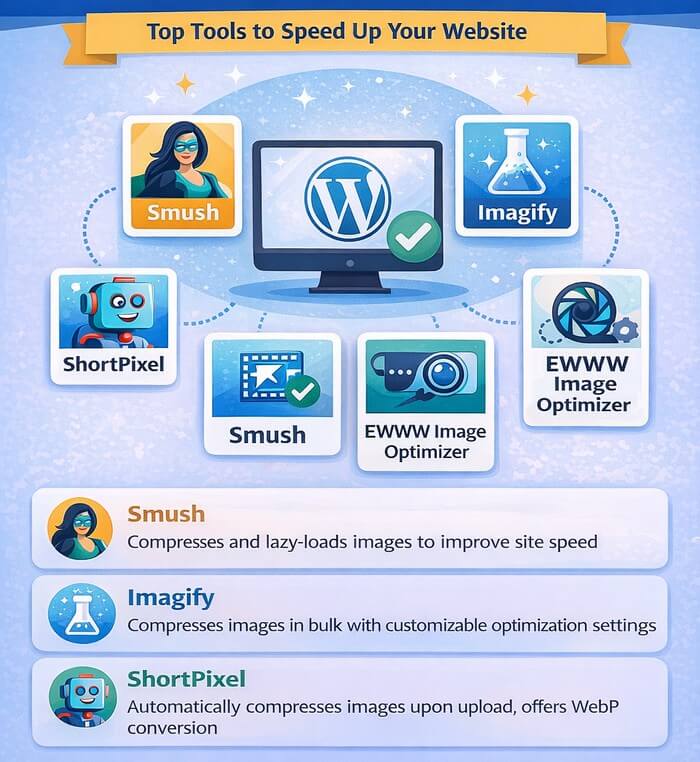
WordPress powers a huge portion of the internet, and image optimization plugins are essential for maintaining fast website performance.
Some popular categories of optimization plugins include:
Compression Plugins
Image compression plugins can significantly reduce file sizes while preserving the visual quality needed for websites.
By automating optimization tasks, these plugins make it easier to keep WordPress media libraries fast, efficient, and performance-friendly.
These WordPress plugins compress images during upload and can also optimize existing media libraries.
Features often include:
- Automatic compression.
- Bulk optimization.
- WebP conversion.
- CDN integration.
- Lazy loading.
Popular Image Compression Plugins for WordPress:
- ShortPixel — Powerful image compression plugin with WebP/AVIF support, bulk optimization, and excellent compression rates.
- Smush — Very popular beginner-friendly plugin offering automatic compression, lazy loading, and image resizing.
- reSmush.it – It is completely free; it offers impressive image compression capabilities.
Image CDN Plugins
Image CDN plugins can take image optimization a step further by combining compression, resizing, and fast global delivery.
They are especially useful for websites with visitors in different countries, helping images load quickly without placing as much strain on the website’s hosting server.
CDN-based image services deliver optimized images from servers located around the world. This improves loading times for international visitors.
Some Popular Image CDN Plugins for WordPress:
- Optimole — Cloud-based image optimization plugin with real-time resizing, lazy loading, and global CDN delivery.
- Jetpack — Includes a free image CDN that automatically optimizes and serves images faster worldwide.
- EWWW Image Optimizer — Offers image compression, CDN integration, WebP conversion, and adaptive image delivery for improved website performance.
WebP Conversion Plugins
WebP conversion plugins make it easier to use modern image formats without manually converting every image.
By automatically generating and serving WebP versions, they can reduce image file sizes and help improve page loading speeds and overall website performance.
These plugins automatically create and serve WebP versions of uploaded images.
Some Popular WebP Conversion Plugins for WordPress:
- WebP Express — Automatically converts uploaded images to WebP format and serves them to supported browsers.
- Converter for Media — Converts JPEG and PNG images to WebP and AVIF for faster website performance.
- Imagify — Includes automatic WebP generation alongside image compression and optimization features.
Performance Optimization Suites
Some all-in-one optimization plugins combine caching, image compression, lazy loading, and performance enhancements into a single solution.
Some Popular Performance Optimization Suites for WordPress:
- WP Rocket — Premium all-in-one optimization plugin with page caching, lazy loading, database cleanup, and performance enhancements.
- LiteSpeed Cache — Powerful optimization suite offering caching, image optimization, CDN integration, and Core Web Vitals improvements.
- W3 Total Cache — Comprehensive performance plugin with browser caching, CDN support, database optimization, and minification tools.
We at PixWizify will continue exploring the best WordPress plugins, comparing their features, performance, pricing, and ease of use.
AI Workflows for Content Creators
One of the biggest advantages of AI tools is workflow automation.
AI can connect multiple image creation and optimization tasks into a streamlined process, reducing repetitive manual work.
This allows content creators to spend more time developing ideas and producing engaging content while AI handles time-consuming technical steps.
A modern creator workflow might look like this:
- Generate an image using AI.
- Remove the background automatically.
- Upscale the image for better quality.
- Compress the image for web performance.
- Convert it to WebP.
- Add SEO-friendly filenames and alt text.
- Publish optimized visuals to a website or social platform.
What once took hours can now be completed in minutes.
PixWizify focuses heavily on helping creators build faster and smarter workflows without sacrificing quality.
SEO and Images
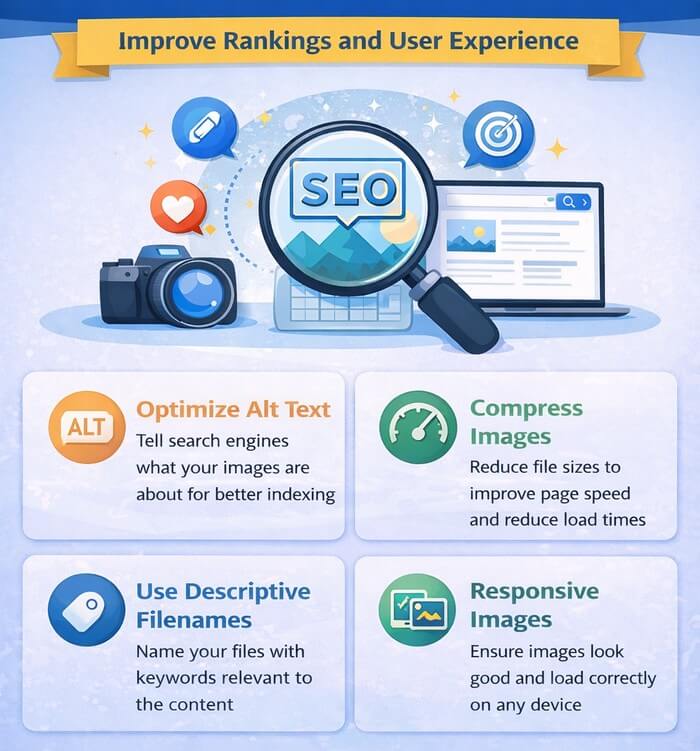
Many website owners overlook image SEO, but optimized blog images can generate valuable search traffic through Google Images and improve overall rankings.
Important image SEO practices include:
- Using descriptive filenames.
- Writing optimized alt text.
- Compressing images properly.
- Using modern formats.
- Creating image sitemaps.
- Implementing structured data when relevant.
Fast-loading websites with optimized visuals often perform better in search engines.
The Future of Digital Images
The future of digital content is visual, automated, and AI-driven.
AI image tools are evolving faster than ever before. New generators, editors, upscalers, and optimization technologies are appearing almost every month. Keeping up with these changes can feel overwhelming.
PixWizify exists to simplify that journey.
Our goal is to test tools, explain workflows, compare technologies, and help users understand what actually works in real-world situations.
No matter if you are building a blog, running an online store, creating YouTube content, designing social media posts, or simply exploring AI creativity, PixWizify will help you create better visuals faster.
Final Words
Welcome to PixWizify — where creativity meets optimization. PixWizify is more than just another tech blog. Our goal is to create a practical, easy-to-understand resource for modern image workflows.
This is just the beginning. As AI continues transforming digital design and image creation, PixWizify will continue exploring the best tools, workflows, techniques, and optimization strategies available.
If you are passionate about AI image tools, visual creativity, image optimization, and building faster, smarter digital experiences, you are in the right place.
We at PixWizify aim to help creators save time, improve quality, and stay ahead of rapidly evolving AI technology.
Stay tuned for tutorials, reviews, guides, comparisons, and expert insights designed to help you master the world of digital images. What are your favorite image tools?
Leave a comment below or contact PixWizify here.
Disclosure: We sometimes use affiliate links in our content. Some of the links in this post are “affiliate links.” This means if you click on the link and purchase the item, we will receive an affiliate commission. It helps our website keep running and allows us to offset our writing team’s costs. Thanks for your support.



Good notes here. Bookmarking this for the next time I hit the same tradeoff.