Images make websites more attractive, blog posts easier to read, and social media content more engaging. A well-chosen photograph can tell a story in seconds.
A helpful illustration can explain a complicated idea. The right product image can even make a visitor more interested in buying something.
But there is one important question every content creator should ask before using an image online:
Am I actually allowed to use this image?
Finding a beautiful photo on Google Images, Pinterest, or social media doesn’t automatically permit you to copy it.
Many images are protected by copyright, and the person who created or owns them may have specific rules about how you can use them.
This is where image licensing comes in.
Image licensing explains the permissions you receive when using someone else’s photograph, illustration, graphic, or other visual content.
A license may allow you to use an image on a blog, in a commercial advertisement, on social media, or in a printed publication. It may also restrict how you can use it.
In this guide, we explain image licensing in simple words, explore common license types, and share practical tips for using images legally.
You also learn about image licensing metadata and how it can help photographers and website owners communicate image rights to Google.
Let’s get started.
What Is Image Licensing?
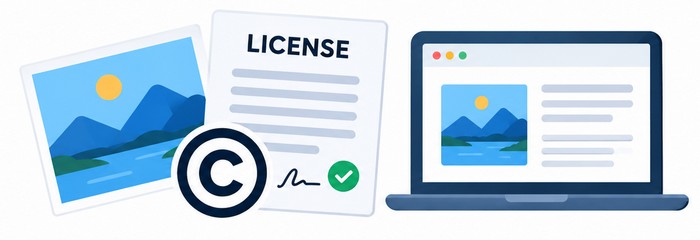
Image licensing is the process of obtaining permission to use an image under specific terms and conditions.
Imagine you find a photograph of a mountain that would look perfect in your next blog post. The photographer owns the copyright, but they may offer a license that allows you to display the photo on your website.
That permission is the license.
The license can explain what you can do with the image, how long you can use it, and any restrictions that apply. Some licenses are free, while others require payment. Some allow commercial use, while others are limited to personal or non-commercial projects.
Think of it like borrowing a tool. You may have permission to use the tool for a particular job, but that does not mean you own the tool or can do anything you want with it.
The same principle applies to images.
Copyright vs. Licensing: What Is The Difference?
Copyright is the legal protection that generally belongs to the creator of an original image. It can give the copyright owner control over copying, distributing, displaying, and adapting the work, subject to applicable law and exceptions.
A license is permission from the rights holder to carry out certain uses.
For example, a photographer might retain copyright over a photograph while allowing a company to use it in a website banner. The company receives permission to use the image, but the photographer may still own the copyright.
This distinction matters because buying an image license does not always mean buying the copyright.
For more information, visit the U.S. Copyright Office.
How Does Image Licensing Work?
The image licensing process is usually straightforward.
You find an image, review its terms, and obtain permission for the intended use. The exact process depends on the image provider and license type.
Let’s say you need a photograph for a commercial blog post.
You visit a stock image website and search for a suitable photo. After selecting an image, you review the license information. The terms explain how you can use the image and any restrictions that apply.
Some websites offer free images. Others charge a fee for individual images or provide access through a subscription.
Before using an image, pay attention to the details. A license may cover website use but restrict merchandise, resale, or certain advertising campaigns.
What Should You Check In An Image License?
A license agreement may cover several important areas:
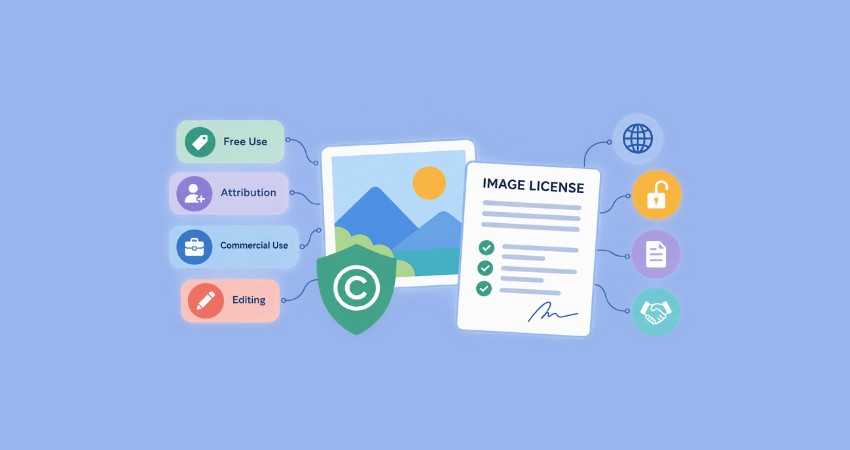
- Permitted use: Website, blog, social media, advertising, print, or other projects.
- Commercial use: If the image can be used to promote a business or sell products.
- Attribution: If you must credit the creator.
- Editing rights: If cropping, resizing, or other modifications are allowed.
- Distribution: If you can share the image with customers or other users.
- Restrictions: Activities or uses that are not permitted.
Not every license uses the same terms. Read the actual agreement before publishing an image.
Common Types of Image Licenses
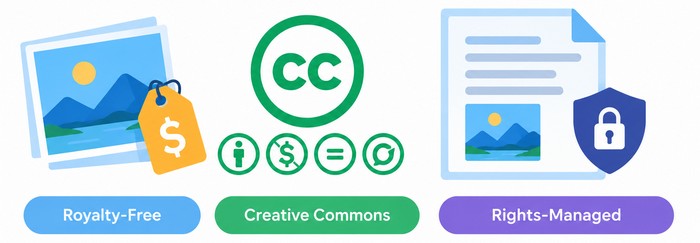
Understanding the most common image licenses makes it easier to choose the right visual content for your project.
1. Royalty-Free Image Licenses
Royalty-free is one of the most common terms used in stock photography.
A royalty-free license generally means you pay an initial fee, or obtain the image under a free license, and can use it under the provider’s stated terms without paying a separate royalty for every use.
The word “free” can be misleading. Royalty-free does not always mean the image costs nothing.
For example, you might purchase a stock photo and use it in several blog posts. The license may permit that usage without additional payments for each publication.
However, royalty-free licenses can still have restrictions. Some limit the number of copies, prohibit resale, or restrict use in products for sale.
Always check the provider’s terms.
2. Rights-Managed Image Licenses
Rights-managed licensing is more specific.
With a rights-managed image, the price and permitted use may depend on factors such as:
- Where the image will appear.
- How long it will be used.
- The geographic market.
- The size of the audience.
- The type of publication or campaign.
For example, a photograph used in a small business blog may have different licensing requirements from the same photograph used in a national advertising campaign.
Rights-managed licenses are useful when a project requires clearly defined usage rights. They can also be more complex than standard stock licenses.
3. Creative Commons Licenses
Creative Commons provides a range of licenses that creators can use to share their work under specified conditions.
Creative Commons licenses are not all identical. Some permit commercial use, while others do not. Some require attribution, and others include restrictions on modifications.
The main license types include:
CC BY — Attribution: Allows reuse, including commercial use, as long as the creator receives appropriate credit and the license conditions are followed.
CC BY-SA — Attribution-ShareAlike: Allows reuse with attribution. Adapted works generally need to be shared under the same license or a compatible license, according to the terms.
CC BY-ND — Attribution-NoDerivatives: Allows redistribution with attribution, but modified versions are not permitted under the license.
CC BY-NC — Attribution-NonCommercial: Allows reuse with attribution for non-commercial purposes.
CC BY-NC-SA — Attribution-NonCommercial-ShareAlike: Allows non-commercial reuse with attribution and requires adapted works to follow the applicable ShareAlike terms.
CC BY-NC-ND — Attribution-NonCommercial-NoDerivatives: Allows non-commercial sharing with attribution, without distributing modified versions under the license.
Creative Commons also offers public domain tools such as CC0. CC0 is designed to waive rights to the extent legally possible, but local laws and third-party rights can still matter.
Always Check The Exact License
A Creative Commons label alone is not enough. Open the license details and confirm that the intended use is allowed.
For example, a photograph with a NonCommercial restriction may not be suitable for a business website promoting paid services.
Also, check if the license requires attribution or places limits on editing and redistributing the image. Taking a few minutes to review these details can help you avoid copyright issues and use images with confidence.
What Are Image Usage Rights?
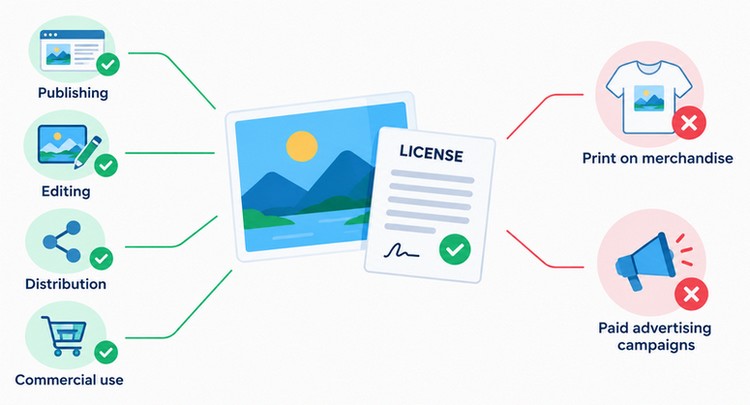
Image usage rights describe what you’re allowed to do with an image.
These rights are often defined by the license agreement. They can cover publishing, editing, distribution, and commercial activities.
Let’s take a practical example.
You purchase a photograph for a blog post on PixWizify. The license permits online editorial use.
You can publish the photo in the article according to those terms. But you may not be allowed to print it on merchandise or use it in a paid advertising campaign.
The exact answer depends on the license.
Personal Use vs. Commercial Use
Personal use usually refers to activities that are not intended to generate business revenue or promote a commercial activity.
Commercial use can include business websites, advertisements, product packaging, promotional materials, and marketing campaigns.
The distinction is important because a license that allows personal use may not cover business use.
For example, an image might be free for a personal blog but require a paid license for a company website.
Tip: If your website earns money through advertising, sells products, or promotes services, review the commercial-use terms carefully.
Can You Use Any Image Found on Google?
No. Google Images is a search service, not a universal source of free-to-use pictures.
An image appearing in search results may belong to a photographer, business, publisher, or another copyright owner.
You need to find out where the image comes from and check its license before reusing it.
Even if an image appears on several websites, that does not mean it is free to use. Always visit the source to confirm the copyright owner and review the licensing terms before downloading or publishing the image.
How To Find Images You Can Legally Use
Google provides a Usage Rights filter that can help you find images licensing information.
A simple process looks like this:
- Go to Google Images and search for a topic.
- Select Tools.
- Open the Usage Rights filter.
- Choose a suitable license category.
- Open the image and review the license details.
- Confirm the license on the original image website before using it.
Google explains that the Usage Rights filter relies on information supplied by image providers and hosting websites. You should still verify the exact license terms.
This is an important habit. A search result can display an image that looks free to use, but the actual source may have different conditions.
How to Check an Image License Before Using It
Taking a few minutes to verify image rights can prevent unnecessary problems later.
When we choose images for website content, we focus on three things: the source, the license, and the intended use.
1. Identify the source: Try to locate the website or creator that published the image.
A reverse image search can help you find other appearances of a photograph, but it does not establish permission to use it.
2. Read the license page: Look for the provider’s official license information. Check if the image is free, paid, royalty-free, or covered by Creative Commons.
3. Confirm the intended use: Think about where the image will appear. A blog post, a commercial advertisement, a product listing, and a printed brochure may have different requirements.
4. Check attribution requirements: If credit is required, find out how the creator wants to be credited. Some licenses specify a particular format or require a link.
5. Keep proof of permission: Save the license page, receipt, or relevant documentation. This can be helpful if you need to confirm your rights later.
Common Image Licensing Mistakes to Avoid
Many image licensing mistakes happen because people assume that online images are free.
Here are some common problems to watch for.
Using images from Google without checking the source: Finding an image through Google does not grant permission. Always visit the source and review the license.
Assuming royalty-free means copyright-free: Royalty-free generally refers to payment structure and usage terms. It does not mean the image has no copyright.
Ignoring commercial-use restrictions: A free image may have a NonCommercial license. That can create problems for business websites and marketing materials.
Forgetting attribution: Some licenses require credit. Missing attribution can violate the license terms.
Removing important rights information: Some image files contain creator, copyright, and licensing metadata. Removing this information can make it harder to identify the rights holder.
Using an image outside its license: A license may permit website use but restrict resale, merchandise, or advertising. Read the agreement carefully.
Image Licensing for Bloggers and WordPress Websites
Bloggers and WordPress websites use images in many ways.
A typical article might include a featured image, screenshots, illustrations, diagrams, and supporting photographs. Each visual should have a clear source and appropriate usage rights.
Keeping track of image sources and licenses can help prevent accidental copyright issues as your website grows.
It is also a good practice to review the license terms before publishing images, especially when using content from third-party platforms.
Choose Images That Match Your Content
A relevant image helps readers understand the topic. For example, an article about image optimization could include a before-and-after compression illustration.
A guide about image licensing could include a visual showing a photograph, a license document, and a website.
The image should support the content rather than simply fill space.
When selecting visuals, think about what your readers need to learn and choose images that make the information easier to understand.
A thoughtful image can also make your article more memorable and encourage visitors to spend more time exploring your content.
Use Properly Licensed Visuals
Choose images from reputable providers and confirm that the license permits your intended use.
If you’re using a paid stock image, keep your purchase information. If you’re using Creative Commons content, follow the attribution requirements.
Pay attention to restrictions on commercial use, modification, and redistribution. When in doubt, check the original license terms or choose an image with clear usage rights.
Add Descriptive Alt Text
Alt text helps describe meaningful images for people who use screen readers. It can also help search engines understand the image.
For example:
Poor Alt Text:
image123.jpgBetter Alt Text:
Photographer reviewing image licensing terms on a laptopAlt text should describe the image accurately. Avoid stuffing keywords into every image description.
Focus on the main subject and purpose of the image rather than adding unnecessary details. For decorative images, use empty alt text so screen readers can skip them.
Optimize Images For Website Performance
Image licensing and image optimization are separate topics, but they work well together.
You can have the correct permission to use an image and still publish a file that is too large for your website.
Resize images, choose suitable formats, and compress them before uploading. This can improve loading performance and the user experience.
Use modern formats such as WebP or AVIF when they are supported by your website and image workflow.
Also, avoid uploading images at a much higher resolution than the size at which they will actually be displayed.
For more tips, read: What Is Image Optimization and Why Does It Matter?
Google Image Licensing Metadata Explained
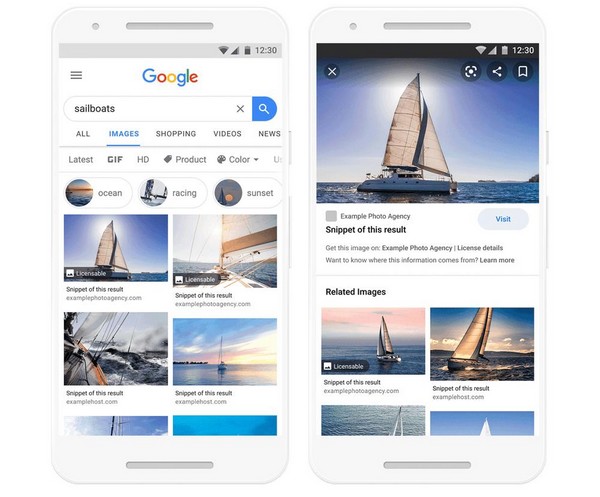
Image licensing metadata is a useful topic for photographers, image creators, publishers, and website owners.
Google supports image metadata that can help communicate information about an image’s creator, copyright, and licensing terms.
When the relevant information is provided, Google Images may display a Licensable badge for eligible images. The badge can help users find license details and, when available, a page where they can obtain a license.
This gives image creators a useful way to make licensing information easier to discover.
What Is Image Licensing Metadata?
Metadata is information associated with an image.
It can identify the creator, copyright owner, credit information, and license details.
Google supports two main approaches for image licensing metadata:
- Structured data using Schema.org.
- IPTC photo metadata embedded in the image file.
Google’s official documentation explains that the ImageObject structured data can include properties such as license, acquireLicensePage, creator, creditText, and copyrightNotice
The License Property
The license property points to a page describing the terms governing the image’s use.
For example, the URL could lead to your website’s licensing terms or a relevant Creative Commons license.
Make sure the linked page clearly explains the permissions, restrictions, and conditions that apply to the image.
Use a stable, accessible URL so users and search engines can easily find the relevant licensing information.
The acquireLicensePage Property
The acquireLicensePage property points to a page where someone can learn how to license or obtain the image.
This might be a checkout page, a licensing information page, or a contact page.
The page should clearly explain the available licensing options and provide a straightforward way to obtain permission to use the image.
Keep the information up to date so visitors can easily understand how to proceed.
IPTC Metadata
IPTC metadata can be embedded directly inside an image file.
Relevant fields include:
- Creator
- Copyright Notice
- Credit Line
- Web Statement of Rights
- Licensor URL
Google recommends preserving important rights-related metadata when possible.
This information can help identify the creator, copyright holder, and licensing details associated with an image.
Keeping metadata accurate and up to date can also make it easier to verify image ownership and usage rights.
Does Image Licensing Metadata Improve Rankings?
This is an important distinction.
Google’s image licensing metadata feature is designed to help communicate licensing information and make eligible images easier to identify in Google Images.
However, the presence of a Licensable badge is not a guarantee of better search rankings.
The purpose is to make licensing details more accessible and help users understand image rights.
For implementation details, visit the official Google Search Central documentation on image licensing metadata.
You can also explore Schema.org ImageObject for the structured data vocabulary.
Best Websites for Licensed Images
There are several useful places to find images with licensing information.
These platforms offer different types of licenses, pricing models, and usage restrictions, so always review the specific terms before using an image.
Choosing a reputable source can make it easier to understand how an image can be used on your website or in other content.
Unsplash
Unsplash offers a large collection of photographs under its own license terms.
It is popular for website banners, blog images, and creative projects. Review the current license and any restrictions before using an image.
You should also check for any additional rights that may apply to recognizable people, trademarks, or other elements shown in the image.
Pexels
Pexels provides free stock photos and videos under its license.
It’s a useful source for lifestyle photography, business visuals, and website content.
As with any image platform, check the current license terms and any specific restrictions before publishing an image.
Pixabay
Pixabay offers photographs, illustrations, and other media.
The Pixabay license includes specific restrictions, so check the terms for your intended use.
It is also worth checking the image itself for recognizable people, logos, trademarks, or other elements that may have additional usage requirements.
Creative Commons Search
Creative Commons provides information about its licenses and tools for finding openly licensed work.
It is a useful starting point for learning about image permissions.
Different Creative Commons licenses have different requirements, such as attribution or restrictions on commercial use and modifications.
Always check the specific license attached to an image before using it.
Paid Stock Photography Websites
Paid stock libraries can be useful when you need professional images, specific subjects, or clearly defined commercial licensing.
Examples include:
- Adobe Stock offers a large library of professional photos, illustrations, videos, and other creative assets.
- Shutterstock provides a broad collection of stock photos, illustrations, videos, and other licensed content.
- iStock offers curated stock photos, illustrations, vectors, and other visual assets for creative projects.
Each provider has its own license agreements. Read the terms before downloading and publishing images.
Frequently Asked Questions About Image Licensing
Is image licensing the same as copyright? No. Copyright protects the creative work, while a license permits you to use it under specific terms.
Are royalty-free images free? Not necessarily. Royalty-free describes a licensing model. Some images cost money, and others may be available without payment.
Can I use images from Google Images? You can use images found through Google Images only when you have permission or a valid legal basis for the intended use. Check the source and license.
Do I need to credit every image? Not always. Some licenses require attribution, while others do not. Follow the actual license terms.
What happens if I use an image without permission? You may face a copyright complaint, a request to remove the image, or other legal consequences. The outcome depends on the applicable law and circumstances.
Final Thoughts
Image licensing explained in simple terms is all about understanding permission.
Before using an image online, take a moment to check its source, license, and intended use. This small step can help you avoid mistakes and respect the work of photographers, artists, and other creators.
For bloggers and WordPress websites, choosing properly licensed images is part of building a trustworthy website.
Combine that with descriptive alt text, compression, optimized image files, and good SEO practices to create content that looks great and performs well.
The next time you find a beautiful photograph for your blog, don’t just ask, “Can I download it?”
Ask the more important question:
“Do I have the right to use it?”
That is the foundation of responsible image licensing.